Opened the wrong way — this page has no styling and no images.
Image and stylesheet paths are resolved from the site root (/assets/…), so opening the file directly resolves them to C:\assets\… and nothing loads.
To see it properly: unzip 2_双击进后台改字_仅Windows.zip and double-click 启动后台.bat — the browser then shows the full site with styling, images and the ZH/EN switch.
(This zip is a plain static preview: opened directly it shows one page at a time, without styles, images or the language switch.)
Once uploaded it works normally: live traffic arrives over http, not by double-clicking a file.
This notice only appears when the file is opened locally; online visitors never see it.
← Back to product family
Switching & data center
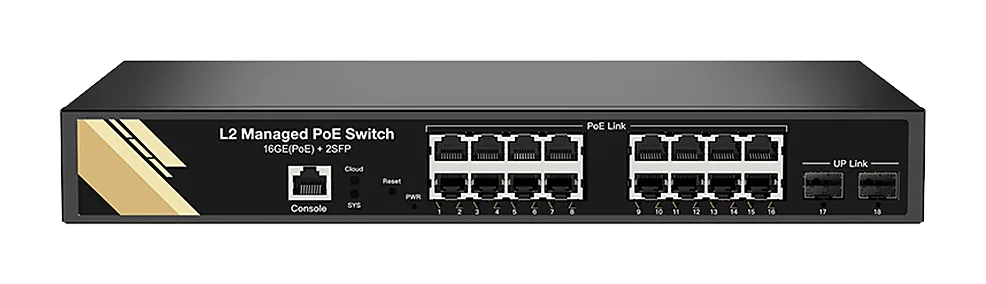
16+2 optical L2 managed PoE switch
PH-5162M2-16G2GS-SD
Sixteen gigabit PoE+ copper ports and two gigabit SFP uplinks, managed — VLANs, link aggregation, loop protection and central management.
16PoE+ ports
30 W per port
L2 managed
VLAN / aggregation
Loop protection
STP / RSTP
Where it fits: when the access layer needs VLANs
Once the access layer has to be split into VLANs — office, guest, CCTV, IoT — an unmanaged switch stops being enough. This puts L2 management at a sensible price.
Sixteen PoE+ ports carry APs, cameras and access control; two SFP uplinks run to the aggregation layer and can be aggregated.
Why this one: management features
VLAN segmentation and port isolation; LACP aggregation adds uplink bandwidth and redundancy.
Loop protection stops a mis-patched cable from becoming a broadcast storm, and the switch reports into a central management platform.
Specifications
| Model | PH-5162M2-16G2GS-SD |
|---|
| Standard | IEEE 802.3 / 802.3u / 802.3ab / 802.3z / NWay auto-negotiation |
| Fixed ports | 16× 10/100/1000M RJ45 (48 V PoE+, 802.3af/at, 30 W max per port); 2× 1000M SFP |
| Management | L2 managed: VLAN, link aggregation, loop protection, central management |
| DIP switch | VLAN isolation |
| Switching mode | Store-and-forward |