

Opened the wrong way — this page has no styling and no images.
Image and stylesheet paths are resolved from the site root (/assets/…), so opening the file directly resolves them to C:\assets\… and nothing loads.
To see it properly: unzip 2_双击进后台改字_仅Windows.zip and double-click 启动后台.bat — the browser then shows the full site with styling, images and the ZH/EN switch.
(This zip is a plain static preview: opened directly it shows one page at a time, without styles, images or the language switch.)
Once uploaded it works normally: live traffic arrives over http, not by double-clicking a file.
This notice only appears when the file is opened locally; online visitors never see it.
ProductsWireless access & coverageSwitching & data centerOptical access & transportOptics & cabling
ServicesManaged NOCImplementation & deliverySpare parts & maintenanceAdvisory & architecture
SolutionsManaged network operations & NOCCampus & wireless coverageCloud-network branchesSecurity & compliance
Case studiesScale · managed operationsSpeed · bulk migrationContinuity · legacy retrofitTechnical notes
About usCompany profileCertificationsOffices & contactTechnical notes
Resources & contactTechnical notesFAQDelivery processPricingPrivacy & termsContact usOffice address
← Back to product family
Wireless access & coverage

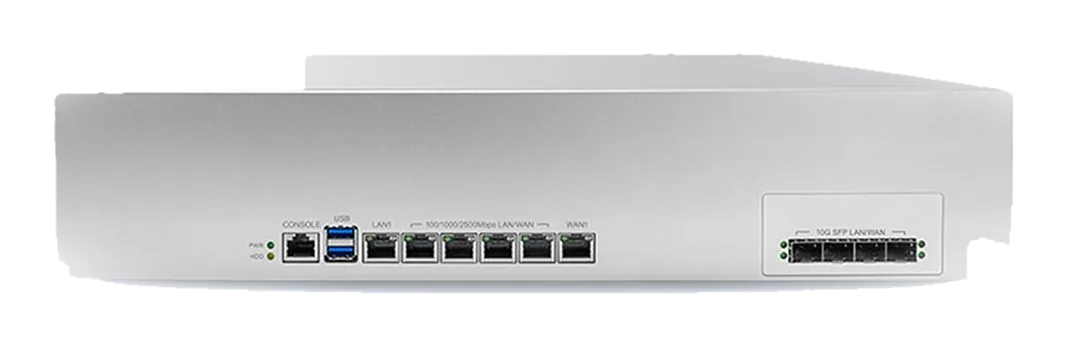
10G commercial AC gateway

PH5000

A 10G wireless controller and gateway in one unit: manages large AP fleets centrally, with authentication, traffic shaping and behavior management built in.

10G commercial AC gateway PH5000
512APs
Central management
10G uplink
Wired-side bandwidth
Central authentication
Portal / 802.1X
Shaping + behavior
Internet behavior management

Where it fits: too many APs to manage by hand

Once you pass a few dozen APs, configuring each one by hand stops being maintainable. The gateway pushes SSID, channel, power, roaming and authentication policy from one place, so a single change reaches the whole network.

It doubles as the egress gateway — NAT, rate limiting and behavior management — so a branch does not need a separate box.

How to choose and install: side-path or inline

Either works. On a Layer 3 topology, point DHCP Option 43 at the gateway from each AP subnet.

Authentication covers Portal, 802.1X and WeChat Connect, integrated with the account system the customer already runs.

Full specifications are in the product datasheet. For large rollouts, validate roaming policy on a 20–50 AP pilot area first.

Specifications

Product type10G commercial AC gateway (wireless controller + egress gateway)
Managed scaleCentral management of large AP fleets (unit count depends on model and license)
Wired ports10G uplink, multiple gigabit downlinks
AuthenticationPortal / 802.1X / WeChat Connect
Traffic control & behaviorPer-user rate limiting, application identification and internet behavior management
RoamingLayer 2 and Layer 3 roaming, with fast handover on the APs
DeploymentSide-path or inline
NotesDetailed port and performance figures are in the product datasheet

Need a datasheet or a quote? Tell us how you will use it.

Request datasheet →